



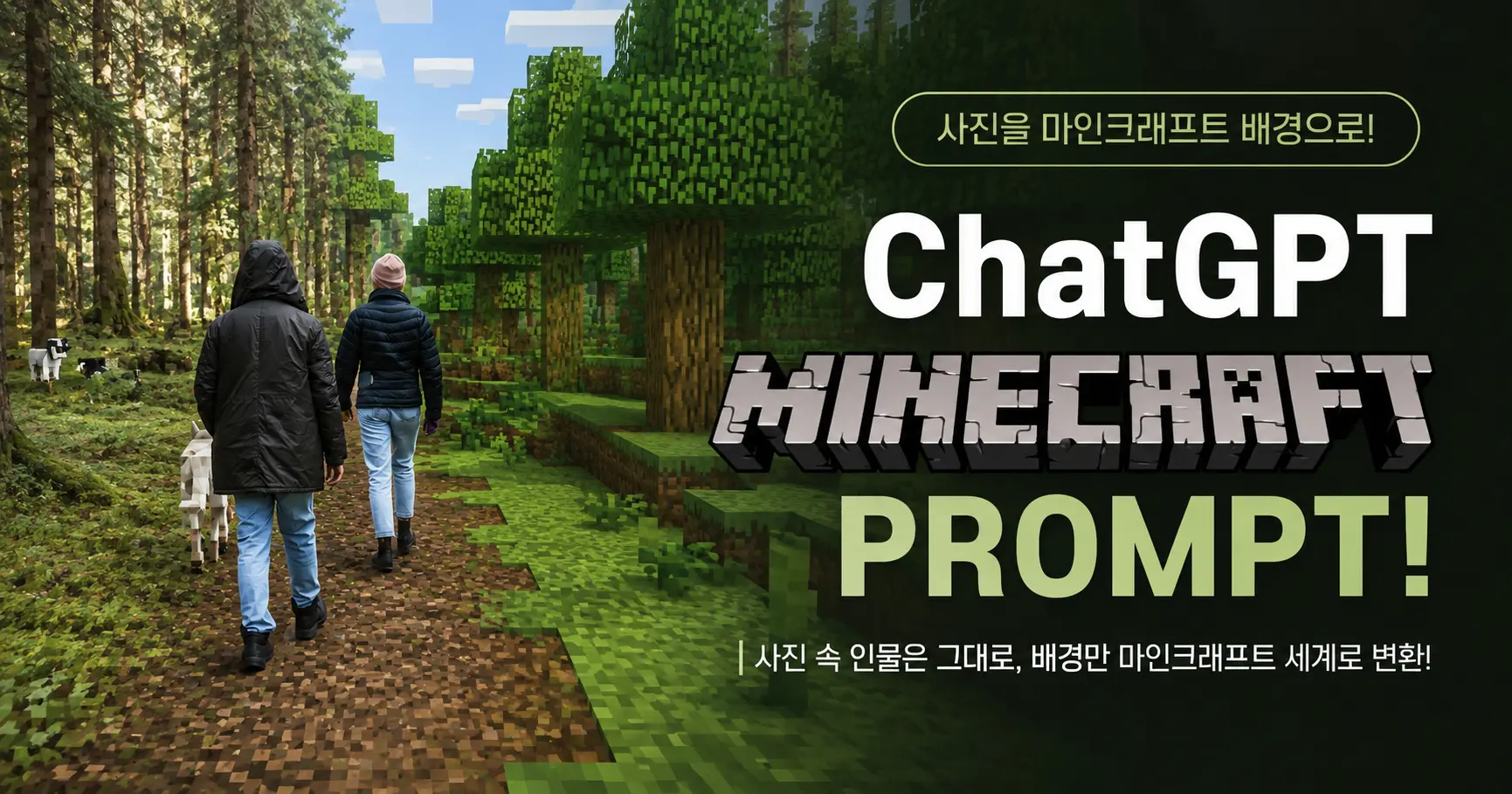

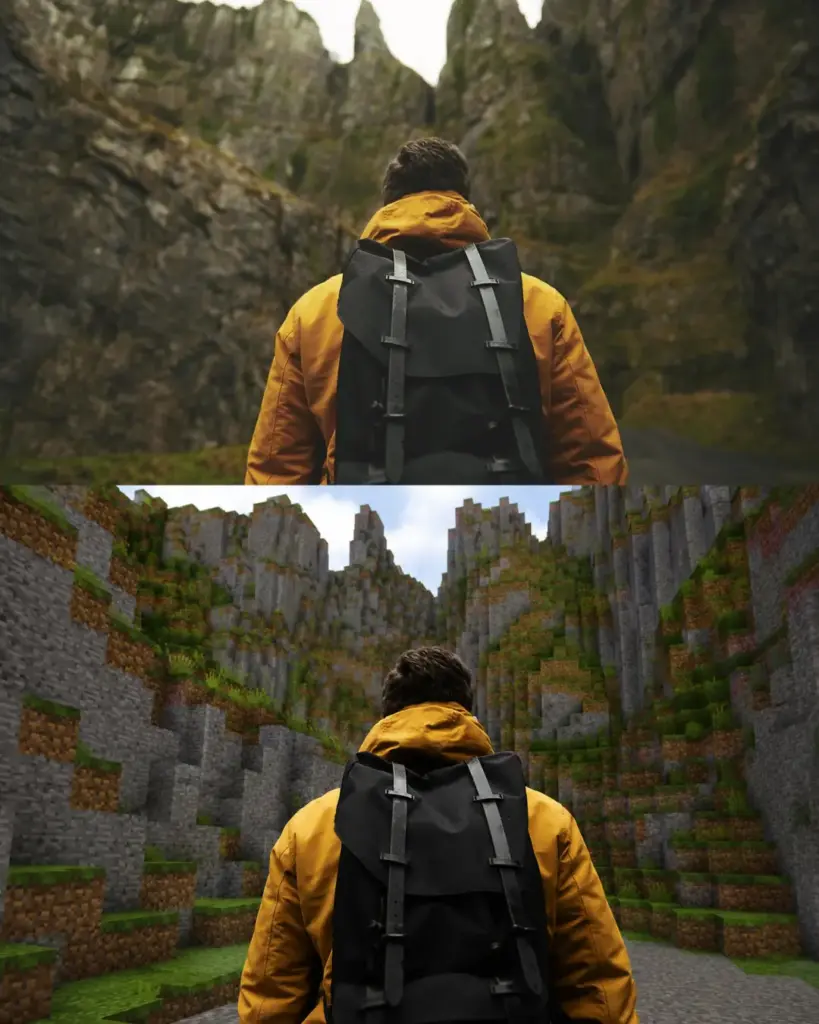
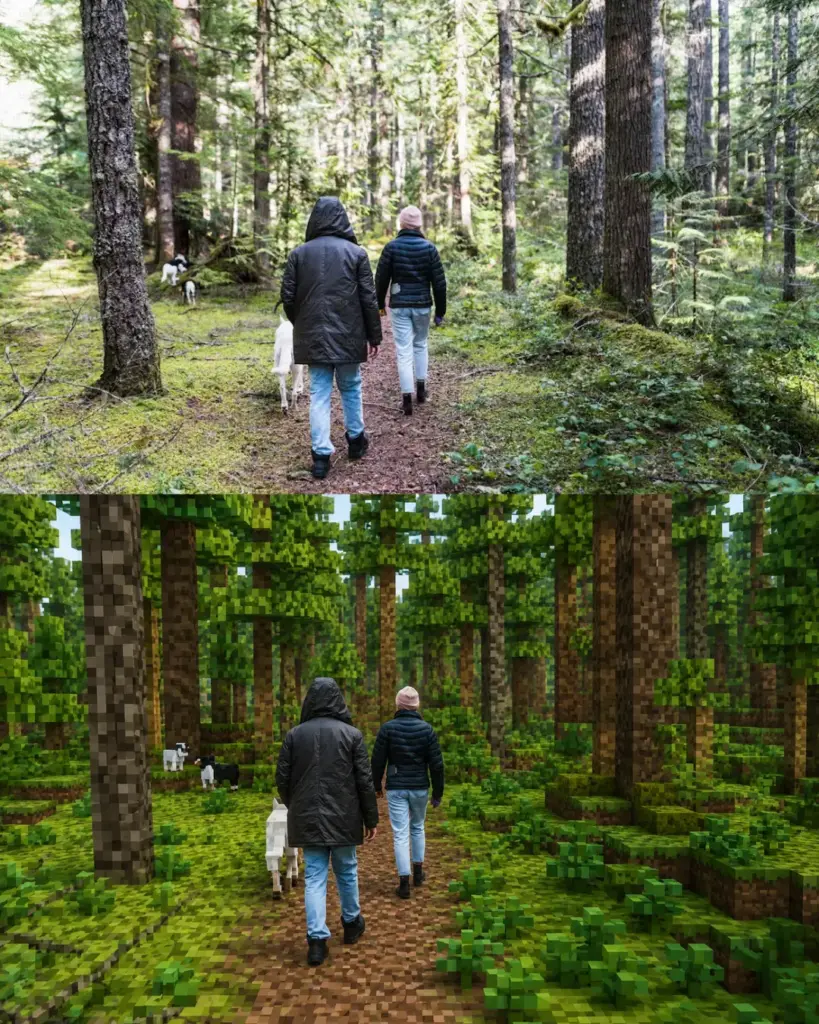
사람은 실제 사진처럼 그대로 두고, 주변 배경만 마인크래프트 세계로 바꾸고 싶다면 아래 프롬프트를 사용하면 됩니다.
인물의 얼굴과 옷까지 픽셀로 변하는 것을 막고, 나무·도로·건물·바위 같은 배경 요소만 블록 형태로 변환하도록 구체적으로 지정한 프롬프트입니다.
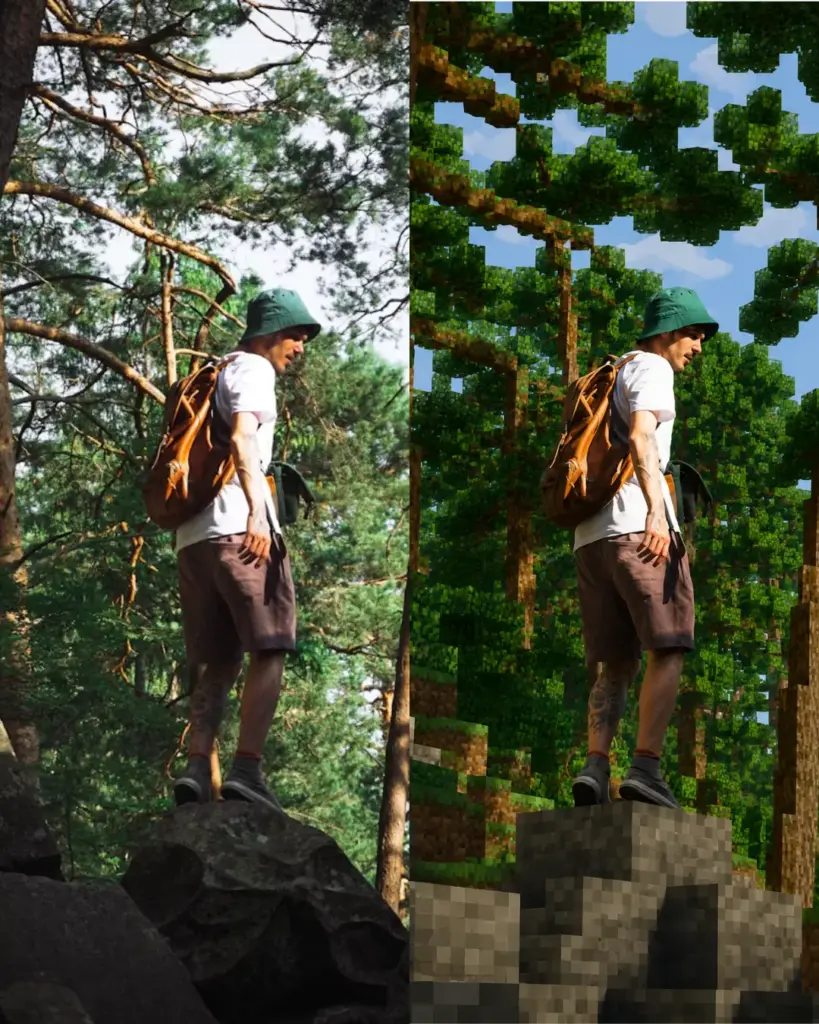
ChatGPT 마인크래프트 이미지 변환 방법
먼저 ChatGPT 이미지 편집 화면에 원본 사진을 첨부합니다.
그다음 아래 프롬프트를 그대로 입력합니다.
 1,680 + 이상 구독중 – 무료 진짜 정보, 놓치면 손해!
Keep the human subject 100% photorealistic and completely untouched. No pixel filter, stylization, or lighting remap on the skin. Preserve exact facial details, pores, fabric weave, hair strands, natural shadows, expression, and posture.

Rebuild the background as a structurally accurate Minecraft voxel replica of the original location without reinterpretation. Match the exact layout, spacing, depth, geometry, perspective, horizon line, camera height, focal distance, framing, and subject scale.

Replicate paths with the same curve and width, trees with matching trunk positions, height, and canopy spread, buildings with accurate silhouettes, windows, and roof angles, and rocks, benches, fences, and signs as Minecraft block equivalents while preserving their exact position and proportions. Any object touching the subject must be converted logically into Minecraft geometry.
프롬프트 핵심 내용
이 프롬프트는 인물과 배경을 명확하게 구분합니다.
인물은 피부, 얼굴, 머리카락, 옷감, 자세를 실제 사진처럼 유지하도록 요청합니다. 반면 나무, 길, 바위, 건물과 같은 배경은 마인크래프트 블록 구조로 다시 만들도록 지시합니다.
단순히 “마인크래프트 스타일로 바꿔줘”라고 입력하면 사람까지 픽셀 캐릭터처럼 변할 수 있습니다. 그래서 인물은 실사 유지, 배경만 복셀 스타일로 변환한다는 조건을 자세히 넣는 것이 중요합니다.
결과가 마음에 들지 않을 때 추가할 문장
사람의 얼굴이나 옷이 변했다면 아래 문장을 추가해 다시 요청해 보세요.
Do not regenerate or reinterpret the human subject. Use the original human subject exactly as shown in the uploaded image and modify only the surrounding environment.
원본과 배경 구도가 너무 달라졌다면 다음 문장을 추가합니다.
Preserve the original composition and replace only the background materials with Minecraft block geometry.
사진에 따라 인물의 일부가 조금 달라질 수 있으므로, 중요한 사진은 원본을 보관한 상태에서 여러 번 결과를 비교하는 것이 좋습니다.